



Use of contactless payment cards on Arriva Italia buses
Go contactless!
Simple, fast, and intuitive
On the vehicles dedicated to the extra-urban public transport service in Brescia operated by Arriva Italia, you can travel simply by using a contactless payment card.
Just tap your contactless payment card on the green validator when boarding the bus, and remember to tap it again on a green validator when getting off.
You can use contactless cards or NFC-enabled devices. This way, the system will charge the correct fare.
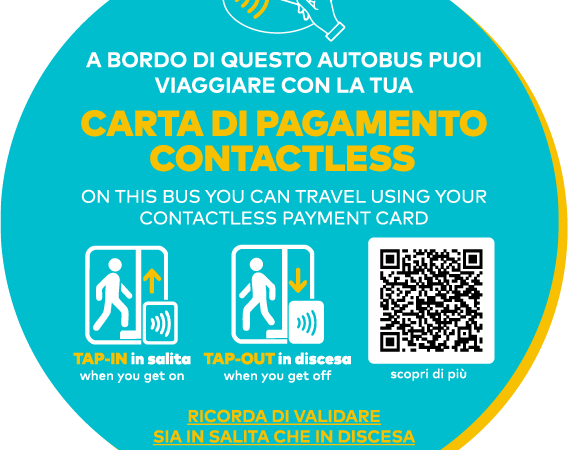
PLEASE NOTE: In the initial phase, travel using contactless payment cards will only be available on Arriva Italia vehicles marked with a specific sticker.
Starting from Autumn 2025, it will be possible to make integrated journeys that include urban travel within the city of Brescia. Until then, tickets for traveling on the urban network of Brescia must be purchased using traditional methods.
How the system works
To travel using your contactless VISA, Mastercard, or Maestro card — or an NFC-enabled device via Google Pay, Apple Pay, or Samsung Pay — simply hold it near the green validator on board and wait for the beep and confirmation message on the display.
Make sure to tap only one card and avoid placing backpacks or wallets against the validator.
There are no bank transaction fees for the customer: the payment is processed at the end of the day.
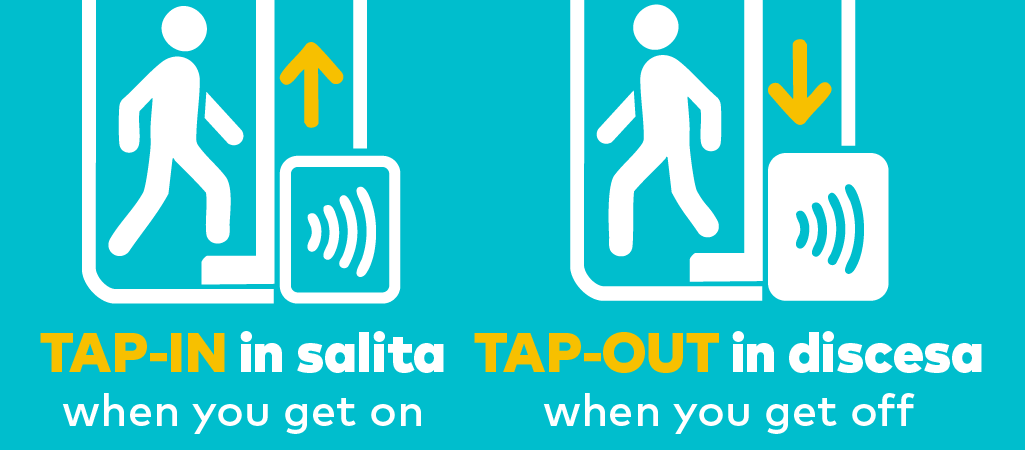
REMEMBER!
You must tap your contactless payment card on the validator both when boarding and when getting off the bus. This allows the system to automatically calculate the correct fare based on the actual distance traveled.
With the same contactless card, up to 8 people can travel:
- By tapping the same card multiple times within 3 minutes of the first tap, you can add additional passengers to the same card.
- Each time you tap, the validator will display the message “Have a nice trip” (“Buon viaggio”).
- After 3 minutes, any further tap will be considered as tap-out (end of the journey), not as a new passenger.
That’s why you need to make one tap-in per passenger within 3 minutes.
You must also make the same number of tap-outs when getting off the bus, so the correct fare can be applied to each passenger.
Domande frequenti
What happens if I don’t tap my card on the validator before getting off the bus?
È importante ricordarsi di ripassare la carta di pagamento contactless sul validatore in fase di discesa, altrimenti il sistema registrerà la tariffa massima prevista da tariffario (pari alla tariffa L integrata di 8,20 euro) invece che la tariffa corrispondente alla corsa effettivamente effettuata.
Se, prima di scendere dall’autobus, non si passa la carta sul validatore, il sistema non sa quali zone sono state attraversate, e non può quindi applicare la tariffa più conveniente.
When is the fare charged?
Timing may vary depending on banking networks, but charges are usually recorded by the end of the day.
The system may request a payment pre-authorization, and then charge the actual cost of the journey you completed.
If you have previously made trips that were not successfully processed, their cost may be charged in a later transaction.
When can I request a refund, and how do I do it?
You may request a refund in the event of a verified malfunction of the card readers that prevents you from completing your trip properly.
To request a refund, you must fill out the report form in the “Reports and Complaints” section within 5 days of the trip.
To allow us to carry out further checks and provide a response regarding the reported transaction, please provide the following information:
-
Date, time, boarding location, and drop-off location of the bus trip
-
The first 6 digits and the last 4 digits of the card number used for the transaction
-
The card network (e.g., Visa, Mastercard, American Express, etc.)
If you used a virtualized card (on a smartphone or smartwatch), you must provide the DPAN (Device Primary Account Number), which is different from the physical card number. This code can be obtained from your bank or the app provider.
Depending on the payment app used, you will find the code labeled as:
-
“Virtual account number” in Google Pay
-
“Device account number” in Apple Pay
-
“Digital card number” in Samsung Pay
How do I receive the refund?
Via a refund directly to the card used for the payment.
Why is my card not being accepted?
La tua carta potrebbe non venire accettata per uno dei seguenti motivi:
- la carta non appartiene a uno dei circuiti abilitati (carta contactless VISA, Mastercard e Maestro, oppure device dotato di NFC tramite Google Pay, Apple Pay o Samsung Pay)
- la carta è insolvente (il conto corrente non ha un saldo sufficiente, è bloccato o altre ragioni)
- la carta è scaduta
- la carta appartiene a uno dei circuiti abilitati ma non è compatibile
In questi casi, ti suggeriamo di rivolgerti alla tua banca che può individuare la causa del problema.
Se il credito sulla carta è insufficiente, oppure se la carta è stata bloccata, è scaduta o deteriorata, il sistema registra un pagamento non valido e, di conseguenza, non consente eventuali successivi utilizzi del servizio con la medesima carta.
Per sbloccarla è necessario registrarsi al Portale del viaggiatore ed effettuare la procedura di sblocco; a fronte di un credito disponibile per il saldo dei precedenti acquisti sufficiente sarà possibile utilizzare nuovamente la carta per viaggiare.
In ogni caso, è necessario provvedere all’acquisto di un biglietto con un’altra modalità.
È possibile acquistare i titoli di viaggio nelle rivendite, sulla app Arriva MyPay e a bordo con denaro contato e di piccolo taglio.
È possibile acquistare i titoli di viaggio nelle rivendite, sulla app Arriva MyPay e a bordo con denaro contato e di piccolo taglio.
Se il credito sulla carta è insufficiente, oppure se la carta è stata bloccata, è scaduta o deteriorata, il sistema registra un pagamento non valido e, di conseguenza, non consente eventuali successivi utilizzi del servizio con la medesima carta.
Per sbloccarla è necessario registrarsi al Portale del viaggiatore ed effettuare la procedura di sblocco; a fronte di un credito disponibile per il saldo dei precedenti acquisti sufficiente sarà possibile utilizzare nuovamente la carta per viaggiare.
What should I do if the validator is out of service?
If one of the validators on board is out of service, please check for other working validators on the bus. All validators on board can be used both when boarding and when getting off.
If all the green validators on the vehicle are out of service, you will need to purchase a ticket using an alternative method:
You can buy tickets via the Arriva MyPay app and activate them by scanning the QR code available on board.
What do I need to show during ticket inspections?
In case of an inspection by Arriva staff, passengers must provide the last 4 digits of their physical payment card or of the virtual card associated with their smartphone.
In the latter case, depending on the payment app used, the customer will find the following labels within the app:
-
“Virtual account number” for Google Pay
-
“Device account number” for Apple Pay
-
“Digital card number” for Samsung Pay
The data provided will be used exclusively to verify the payment and the validity of the purchase and will not be stored by the inspection devices.
I was charged for a trip I never took! Why?
Most likely, this charge is for a trip you took several days earlier but did not tap your card on the validator at the end of the journey.
If you have registered your card in the reserved area, you can identify the extra charge by checking the description next to the amount. Alternatively, you can contact us so we can verify the charges for you.
I received an SMS from my bank saying “a transaction of XX euros has been authorized.” Why?
This is a pre-authorization required by the banking network and is independent of our system. The payment network will then charge the correct fare based on transactions under its control (cancellations, reversals, etc.).
Is there a risk that my card will be cloned?
No. Our readers are bank-certified POS terminals that enable the use of their cards. Our system meets all the required security standards for any credit card payment transaction.
How can I be sure that my privacy is protected when using my card?
Arriva Italia does not store any card data or personal information of cardholders in any way.
Passenger portal
Do I need to register for the service to pay with a credit card?
No, no registration is required. But we suggest that you register on the dedicated portal emv.arriva.it and save your card: from your personal area you can check all the charges and reasons for the trips.
Where can I view the proof of my payment?
To view the proof of the expense made, you must register on the dedicated portal emv.arriva.it, load the payment card used to travel and access the personal area.
I’m trying to register my credit card, but the portal doesn’t recognize it. What can I do?
If you paid with a virtualized card on your smartphone or smartwatch, you need to enter the DPAN (Device Primary Account Number) of the virtual payment card, not the number of the physical card.
If you don’t have this number, you can obtain it by contacting your bank.